Application
The library
Today’s note, your files and folders, and your calendar, all on one screen.
WebiPadiPhoneAndroid
The library is where tldraw notes opens. It shows every note you own and every note shared with you.
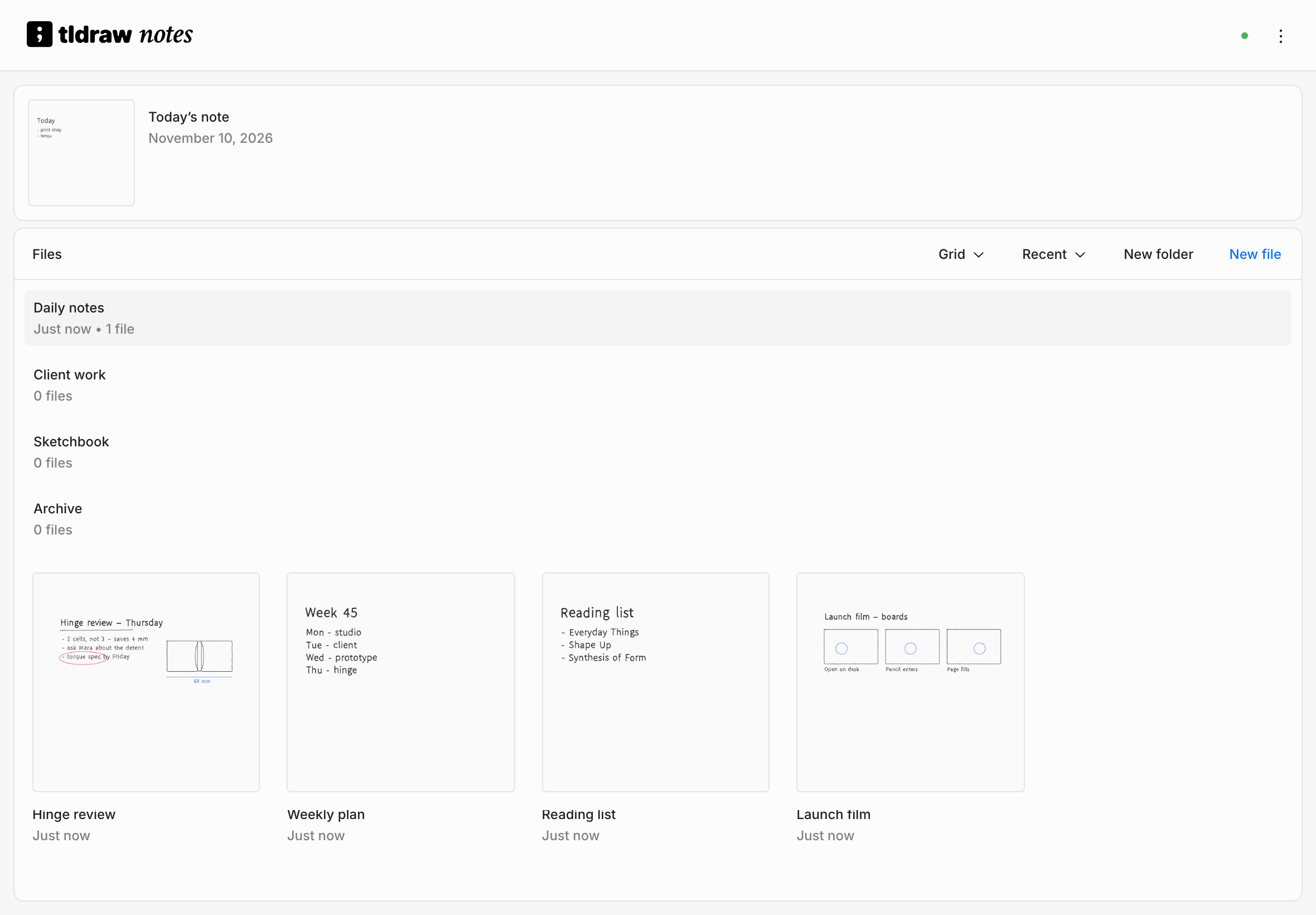
Today’s note
The wide card at the top is Today’s note, with today's date beside its thumbnail. It's the same note on every device for that day, so you can start it on your phone and finish it at your desk. See Your first note.
The Files panel
Below Today’s note, the Files panel lists your folders and then your files.
| Control | What it does |
|---|---|
| View | Switches between a grid of thumbnails and a list. |
| Sort | Orders files by Recent, Name, or Created. |
| New folder | Creates a folder here and opens it. |
| New file | Creates a note here and opens it. |
Folder rows come first. Daily notes is always at the top and holds the past days' notes, newest first. Archive is always last and holds anything you've put away. Your own folders sit between them. See Organizing files.
Cards keep their places while you work. A note you change moves to the front the next time the library loads, not while you're looking at it.
Calendar
Connect a Google Calendar in Preferences › Connections and the library shows your upcoming events beside your files: Today, Tomorrow, the rest of this week, and Next Week. Choose an event to open a note for it. The note is the same on every device, and it joins your files once you write in it. On the web, iPad, and iPhone, choose the history button at the top of the Calendar panel to browse past events from the last month.
On a phone, Home and Calendar tabs at the top switch between your files and your calendar.
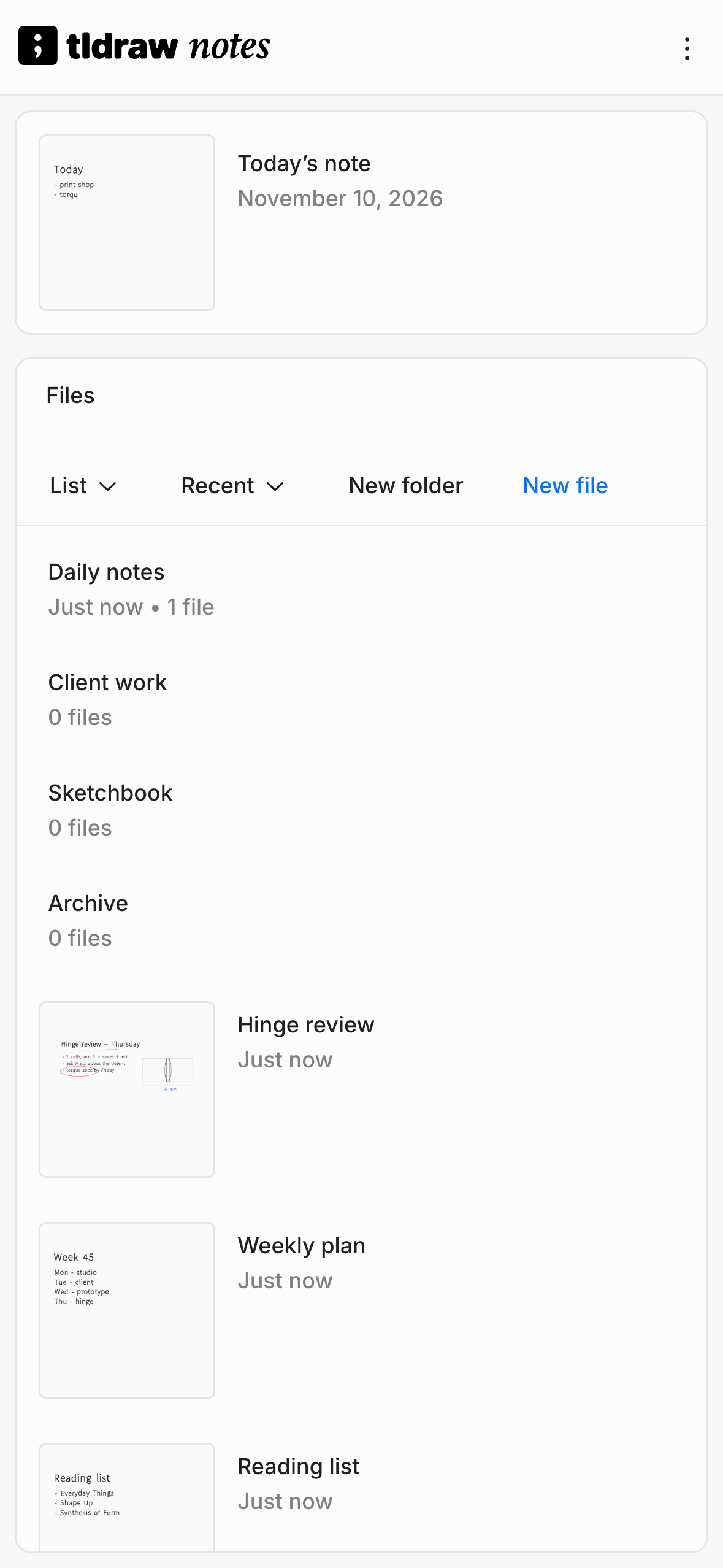
Notes shared with you
When someone shares a note with you and you open the link while signed in, the note is added to your library. On iPad, iPhone, and Android, its card is marked Shared with me. You can organize shared notes in your own folders without affecting anyone else's library.
When you're offline
The library still shows every note this device has seen. Notes you've opened before open from the device. A note that has never been downloaded says so instead of opening blank.