Application
Organizing files
Rename, move, duplicate, export, and archive notes and folders.
WebiPadiPhoneAndroid
Every file and folder in the library has a menu of actions.
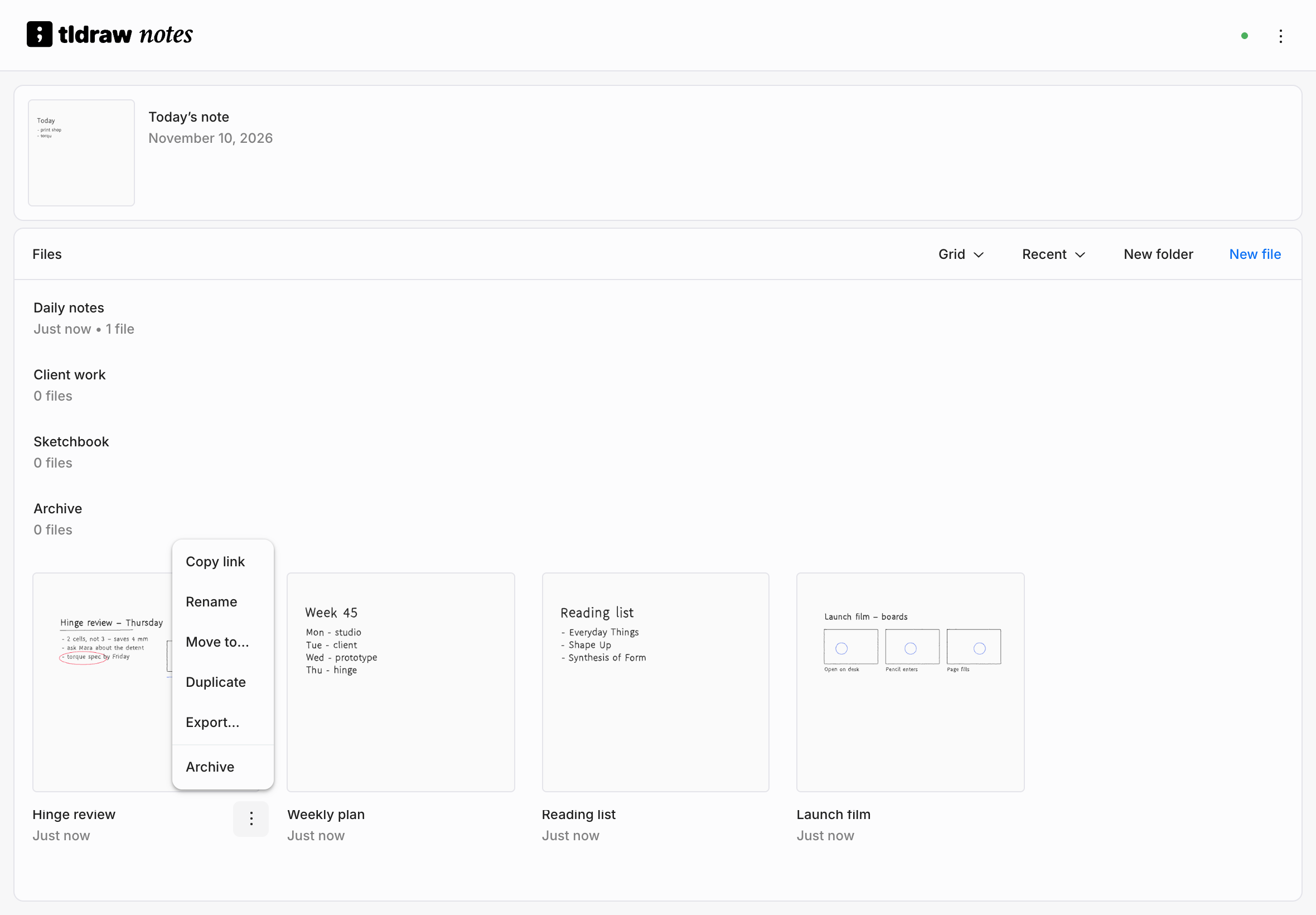
Open an item's menu
| Input | How |
|---|---|
| Mouse | Choose the ⋯ button on the card, or right-click the card. |
| Touch or stylus | Touch and hold the card. |
File actions
| Action | What it does |
|---|---|
| Copy link | Copies the note's address. Web only. |
| Rename | Gives the note a new name. |
| Move to… | Puts the note in another folder, or back on Home. |
| Duplicate | Makes a private copy named "name copy" in the same folder. Needs a connection. |
| Export… | Saves the note as an image or PDF. |
| Archive | Puts the note in the Archive. |
Duplicates copy the drawing, not the sharing: a copy of a shared note starts out private.
Rename a note
In the library, open the note's menu and choose Rename. In the editor, open the Menu and choose File › Rename…. Names are one line, up to 200 characters.
Daily notes are named after their date, like November 5th, 2026, and can be renamed like any other note. The card at the top of the library always says Today’s note.
Folders
Create a folder with New folder in the Files panel or the library's Menu. Inside a folder, New file and New folder create things in that folder.
Open a folder to see what's in it. To go back up, use Back beside the folder's name, or:
| Platform | Also goes back |
|---|---|
| Web | Your browser's Back button. |
| iPad and iPhone | Swipe from the left edge. |
| Android | The system back gesture. |
Folders are yours alone. Putting a shared note in one of your folders doesn't change where it appears for anyone else, and folders can't be shared.
Archive, restore, and delete
Archive is how you put things away. It moves a file, or a folder and everything in it, into the Archive folder. Nothing is lost and nothing asks for confirmation.
Archived notes open read-only, with an Archived · Read only label. You can still look, select, copy, and export.
Inside the Archive, each item's menu has:
- Restore, which puts it back in the folder it came from, or on Home if that folder is gone.
- Delete…, which removes it for good. tldraw notes asks first, and tells you how many files and folders a folder contains. There's no undo and no trash.
On iPad, iPhone, and Android, if this device has changes to the note that haven't synced, the confirmation says so: deleting removes them too.
Today’s note and Local can't be archived.